What is the best IPTV encoder?
There isn’t one encoder that is best for every IPTV workflow. For a small test stream or a single camera, OBS Studio or FFmpeg can be a sensible starting point. For a managed, always-on channel operation, a cloud service such as AWS Elemental MediaLive can reduce the need to run encoding servers yourself. For a professional venue or broadcast contribution feed that needs predictable low-latency performance, a dedicated appliance such as Haivision Makito X4 may fit better. The right choice depends on what you are encoding, how many channels you need, the devices viewers use, your latency target, and how much operational support you have.
This guide compares six practical encoder paths and shows how to choose one without buying capacity you do not need. It is written for legitimate content owners, broadcasters, venues, and technical teams distributing programming they are authorized to transmit. Product capabilities and supported formats can change, so confirm current requirements with the vendor before purchasing.
Table of Contents
First, what does an IPTV encoder do?
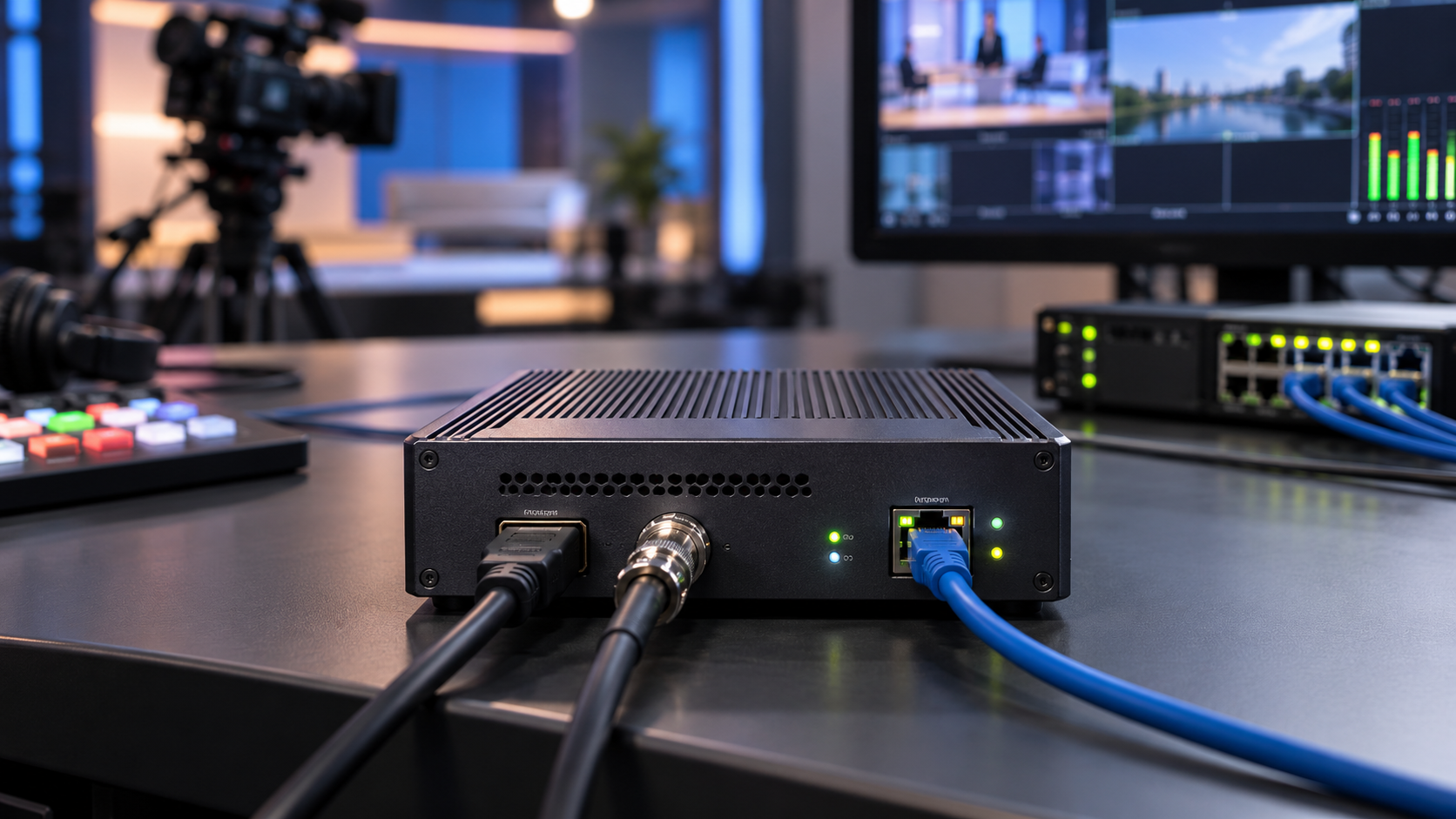
An IPTV encoder takes an audio-video source and compresses it into a digital stream that can be carried over an IP network. The input might come from a camera, a studio switcher, a satellite or cable receiver, an SDI/HDMI feed, or a stored video file. The encoder converts the signal to one or more delivery formats and bitrates. A separate streaming or IPTV platform may then package, protect, route, and deliver that output to viewers.
Encoding is only one stage. A complete live service may also require contribution transport, a packager for HLS or MPEG-DASH, a content delivery network, monitoring, conditional access or DRM, electronic program guide data, and player support. A device that produces an H.264 stream does not automatically provide a complete IPTV headend or a consumer app.
The word “best” is therefore a workflow question. If your source is a webcam and your audience is a small internal group, a software encoder may be enough. If you operate many 24/7 channels, you need capacity planning, failover, monitoring, and a support plan alongside the encoder.
How we compare IPTV encoder options
Use these criteria to make a fair comparison. Ask vendors to demonstrate your own source material, destination protocol, and target device mix; a spec sheet alone cannot show how an encoder behaves in your network.
- Input compatibility: Does it accept the video sources you actually have, such as SDI, HDMI, IP, or files? Check resolution, frame rate, audio, captions, and timecode requirements.
- Output and packaging: Confirm whether you need a raw contribution stream, HLS, MPEG-DASH, SRT, RTP, or another protocol. The encoder may need a separate packager.
- Codec compatibility: H.264/AVC remains a conservative choice for broad device support. HEVC/H.265 can reduce bitrate for comparable quality in supported workflows, but every decoder in the chain must support it.
- Capacity: Count simultaneous channels, renditions, and resolutions. Measure the real workload with your most complex content rather than extrapolating from a single channel.
- Latency and resilience: Set an end-to-end latency target and test packet loss, reconnect behavior, input failover, and recovery after power or network interruption.
- Operations and cost: Include hardware, software, cloud runtime, bandwidth, maintenance, licensing, monitoring, staff time, and backup capacity in total cost of ownership.
Six IPTV encoder choices compared
The table is a workflow guide, not a lab ranking. The tools below serve different jobs, so compare them against your requirements instead of treating them as interchangeable products.
| Option | Good fit | Main trade-off |
|---|---|---|
| FFmpeg | Engineering-led tests, file conversion, custom pipelines | Flexible and economical, but requires technical setup and monitoring |
| OBS Studio | One-off events, simple live production, internal streams | Easy to start; not a full multi-channel IPTV platform |
| AWS Elemental MediaLive | Cloud-managed live channels and scalable workflows | Cloud operations and ongoing usage costs need careful planning |
| AWS Elemental Live | On-premises or virtualized broadcast workflows | More control; infrastructure and operations remain your responsibility |
| Haivision Makito X4 | Professional live contribution and venue encoding | Dedicated appliance investment and workflow-specific configuration |
| GPU encoder through software | High-throughput encoding where supported hardware is available | Performance and quality depend on GPU, driver, codec, and settings |
1. FFmpeg: best for custom, low-cost workflows
FFmpeg is a widely used open-source multimedia framework with command-line tools for converting, filtering, muxing, and streaming audio and video. It can be a strong choice when an engineer needs repeatable jobs, custom processing, or a low-cost way to validate a workflow. It also supports hardware-accelerated encoding when the installed build, GPU, drivers, and chosen codec support it.
The trade-off is that FFmpeg is a toolkit, not a turnkey broadcast control room. You need to understand input handling, encoder settings, output protocols, logs, process supervision, and recovery. A command that works for a short test may fail under long-running operation if the source drops or storage fills. The FFmpeg HLS muxer documentation explains playlist and segment output options; use it alongside testing on your actual player devices.
Choose FFmpeg when you have technical staff, want control over the pipeline, and can monitor it. Avoid making it the only production component if nobody is responsible for alerts, restarts, updates, and quality checks.
2. OBS Studio: best for simple live production
OBS Studio combines scene switching, capture, audio mixing, and live encoding in a free desktop application. It is practical for a presenter, classroom, community event, or small venue that needs to send one produced program to a compatible streaming destination. Its interface makes it easier to build a basic scene than a command-line pipeline.
OBS is not a complete IPTV headend. It does not by itself provide a multi-channel operations platform, subscriber management, adaptive bitrate packaging for every destination, or a content delivery network. Treat it as a production and encoding tool for a defined stream, then confirm the receiving platform accepts its output. OBS’s official overview recommends matching output resolution and frame rate to the service and checking encoder bitrate against upload capacity.
For a simple event, begin with a short private test. Confirm audio levels, stream key handling, upload stability, and the viewing experience on the devices your audience will use before going live.
3. AWS Elemental MediaLive: best for cloud-managed live channels
AWS Elemental MediaLive is a cloud live-video encoding service for workflows that need managed processing resources. It can make sense when a team wants to create live channels in the cloud, scale capacity with a defined workflow, or integrate encoding with other cloud media services. AWS documents the codecs supported by each output type, including differences between HLS, RTMP, SRT, and other outputs. Check that matrix before designing a workflow.
Cloud encoding shifts some infrastructure work to the provider, but it does not remove design decisions. You still need to size channels and outputs, configure input and output groups, manage permissions, test failover, and estimate costs for the hours and outputs you use. Review service pricing and regional availability directly before committing.
Choose a cloud service when your operations fit cloud-based control and you value managed infrastructure. It may be a poor fit when a facility has strict on-premises requirements, specialized baseband equipment, or a cost model that favors dedicated hardware running continuously.
4. AWS Elemental Live: best for on-premises broadcast workflows
AWS Elemental Live is an on-premises video processing system, available as an appliance or virtualized deployment, for real-time encoding of live sources. It is designed for broadcast and streaming workflows where a production facility wants encoding close to the source. AWS’s documentation describes how inputs, events, output groups, and encoding settings fit together.
An on-premises encoder can give a team direct control over local sources and network paths. In return, the team owns deployment, capacity, power, physical security, updates, redundancy, and disaster recovery. A server running encoding software is not automatically resilient: plan a second path or backup system if outages matter.
Consider this route when you already run broadcast infrastructure, have staff to operate it, and can quantify the benefit of keeping processing on-site.
5. Haivision Makito X4: best for dedicated professional contribution
The Makito X4 is a dedicated real-time encoder intended for professional live video workflows. Haivision’s product documentation describes support for H.264/AVC and HEVC/H.265, HD and 4K inputs, and appliance or blade configurations. That makes it worth evaluating for venues, broadcasters, and teams that need a purpose-built contribution encoder rather than a general desktop application.
A contribution encoder prepares a reliable feed for transport to another stage in the delivery chain. It is not necessarily the component that handles subscriber apps, channel guides, adaptive streaming, or nationwide delivery. Verify the exact input connectors, supported formats, transport protocol, latency, licensing, and management features for the model you plan to deploy.
A dedicated appliance can simplify a defined job and reduce reliance on a general-purpose PC. It also ties your workflow to a specific device, so test interoperability with your decoder, receiver, or cloud ingest service before ordering multiple units.
6. GPU-accelerated encoding: best when throughput matters
Many software pipelines can use hardware encoders built into GPUs or integrated graphics, such as NVIDIA NVENC, Intel Quick Sync, or AMD AMF, when the application and system support them. Hardware encoding can free CPU resources and increase the number of real-time streams a machine can process. The actual result varies by generation, codec, preset, resolution, and content complexity.
Do not assume every hardware encoder delivers the same visual quality at the same bitrate. Compare outputs at your target resolution and motion level, then check GPU utilization, temperature, power, and behavior during long runs. Test the exact codec and profile on your viewers’ devices. A faster encoder is not useful if the output is incompatible or visibly degraded.
Which codec should an IPTV encoder use?
H.264/AVC is the default starting point when compatibility is the priority. It is mature and widely implemented in streaming hardware and software. The ITU’s H.264 Recommendation covers video coding for applications including Internet streaming and television broadcasting.
HEVC/H.265 can deliver similar perceived quality at a lower bitrate in many workflows, which can help with bandwidth limits. It also adds compatibility, licensing, and device-support considerations. The ITU’s H.265 Recommendation describes the standard; it does not guarantee that a particular television, app, or receiver can decode every profile.
AV1 may be useful in newer distribution workflows, but compatibility across the full ingest-to-viewer path matters more than choosing the newest codec. Some services support AV1 for selected output groups while requiring H.264 for others. Maintain a compatibility matrix for your target devices and player versions. AWS’s MediaLive output codec table is an example of why codec support must be checked per container and output type.
For adaptive bitrate streaming, the encoder or downstream packager typically creates multiple renditions so the player can switch quality as network conditions change. Do not guess bitrate ladders from a generic blog chart: test content, screen sizes, motion, frame rate, device limits, and available bandwidth. Keep the same frame rate and aligned segment boundaries across renditions where the workflow requires it.
How to choose the best IPTV encoder for your setup
- Write down the source: camera, SDI/HDMI, file, satellite receiver, or IP feed. Record resolution, frame rate, audio format, and whether captions or metadata must pass through.
- Name the destination: internal LAN, cloud ingest, HLS or DASH packager, managed IPTV platform, or a broadcast contribution link. Ask what protocols and codecs it accepts.
- Set measurable targets: number of channels, number of renditions, end-to-end latency, uptime, expected viewers, and recovery time after a failure.
- Shortlist two options that meet the same requirements. Ask for a trial, demo, or return window and test with representative fast motion, low light, graphics, and audio.
- Calculate total cost across the expected service life. Include licensing, cloud hours, bandwidth, hardware replacement, maintenance, backup capacity, and staff time.
- Run a soak test before launch. Monitor dropped frames, audio sync, packet loss, encoder load, output continuity, and playback on actual televisions, boxes, phones, and apps.
A practical small-team example: a local venue streaming one weekly event may start with OBS and a stable wired connection, then send the feed to a managed service that handles packaging and delivery. A regional broadcaster running several continuous channels may instead compare cloud encoding against on-premises appliances, including the cost of redundancy and 24/7 operations. These examples illustrate the decision process; they are not performance guarantees.
Common buying mistakes to avoid
- Buying for a headline number: “4K capable” does not tell you how many simultaneous 4K channels, outputs, or frame rates a unit can sustain.
- Confusing encoding with delivery: an encoder compresses video; it may not include the packager, DRM, CDN, player, subscriber system, or support desk.
- Choosing a codec before checking devices: a viewer’s television or app must decode the format and profile you send.
- Testing only ideal conditions: use real sources, normal network congestion, long run times, and a backup input to expose failures.
- Ignoring audio and captions: verify channel mapping, loudness, language tracks, subtitle formats, and synchronization along the whole path.
- Skipping rights checks: only encode and distribute programming you have permission to use. Source access does not establish redistribution rights.
Frequently asked questions
What is the best IPTV encoder for beginners?
For a single stream or small event, OBS Studio is often the easiest place to start because it combines capture, scene composition, and encoding in one desktop app. If you need scheduled channels, subscriber delivery, or 24/7 reliability, evaluate a managed IPTV platform and its supported encoder inputs.
Is FFmpeg good for IPTV encoding?
Yes, FFmpeg can encode and package video for IPTV workflows, especially when an engineer needs control and can maintain the pipeline. It is a toolkit, so production use also needs process supervision, monitoring, alerting, and tested recovery.
Do I need a hardware IPTV encoder?
Not always. Software encoding can work for development, small streams, and some production workflows. Dedicated hardware is worth evaluating when you need fixed inputs, predictable real-time performance, higher channel density, appliance support, or a broadcast-specific feature set.
Is H.264 or H.265 better for IPTV?
H.264 is usually the safer compatibility choice. H.265 may reduce bandwidth for comparable quality, but only use it when the entire delivery chain and target devices support the needed profile and level.
Can OBS create an IPTV stream?
OBS can encode a live program and send it to a supported streaming destination. It does not on its own provide a complete IPTV service with packaging, channel management, subscriber authentication, and delivery infrastructure.
What is the difference between an encoder and an IPTV server?
An encoder compresses audio and video into a stream. An IPTV server or platform may ingest, package, manage, authenticate, and distribute that stream. Some products combine multiple functions, so compare the actual features rather than the product label.
Does an IPTV encoder improve internet speed?
No. An encoder can reduce the bitrate required for a chosen video quality, but it does not increase the available internet connection. Stable delivery also depends on upload capacity, network routing, packet loss, server capacity, and the viewer’s connection.
How can I test an encoder before buying?
Use a demo, trial, or return period to test your real sources and target devices. Measure output quality, latency, audio sync, dropped frames, recovery behavior, and resource use during a long run. Ask the vendor to confirm supported formats in writing.
The right encoder is the one your workflow can support
For a single simple stream, begin with OBS or FFmpeg and validate the complete path. For managed cloud channels, compare MediaLive and its operating costs. For local broadcast processing or professional contribution, evaluate on-premises and dedicated hardware options against your input, latency, and redundancy needs. In every case, test real content and real viewer devices before scaling.
If you are researching IPTV viewing rather than building a video distribution system, start with the service’s device and setup requirements. See the Reflexsat IPTV setup guide for viewer-side setup information and review the available plans before choosing a subscription. Only use streaming services and content you are authorized to access.